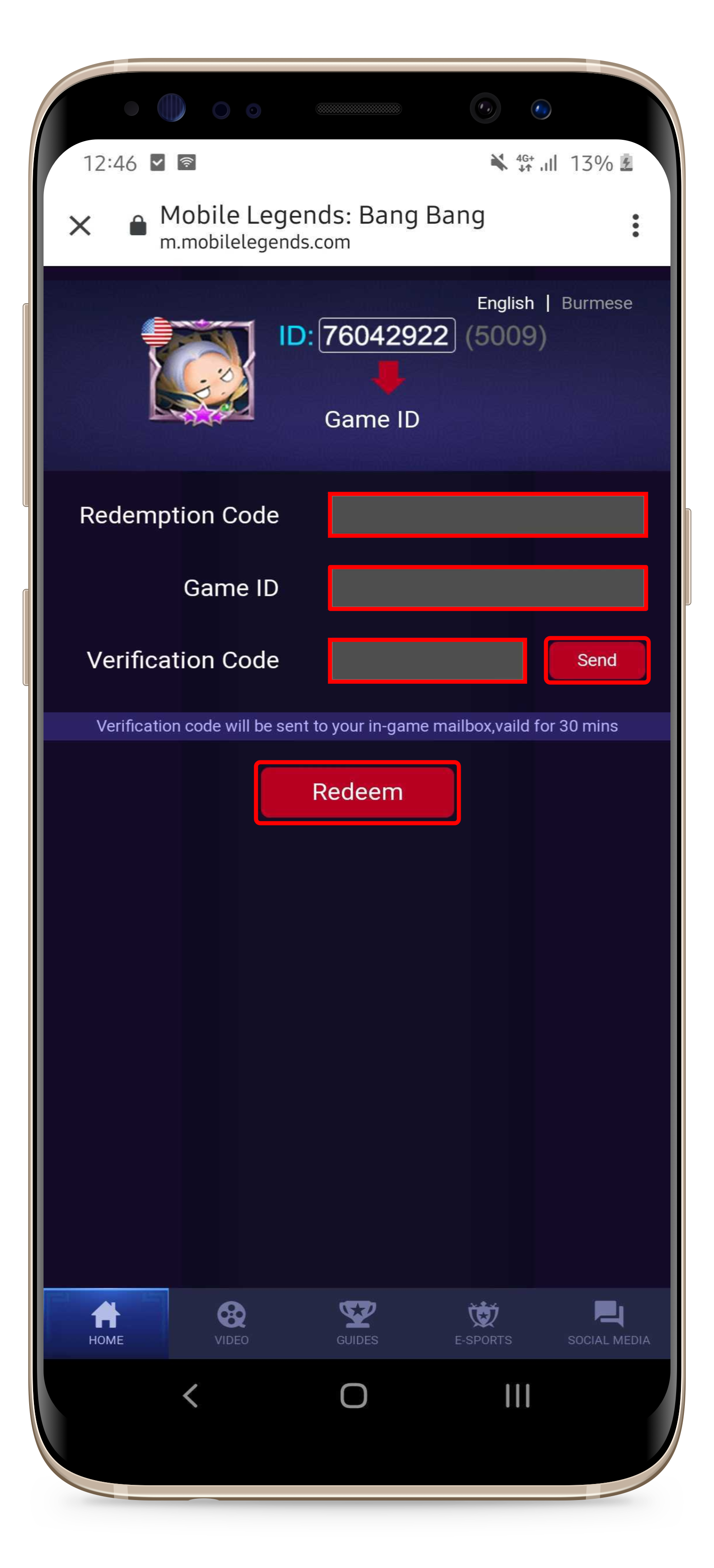
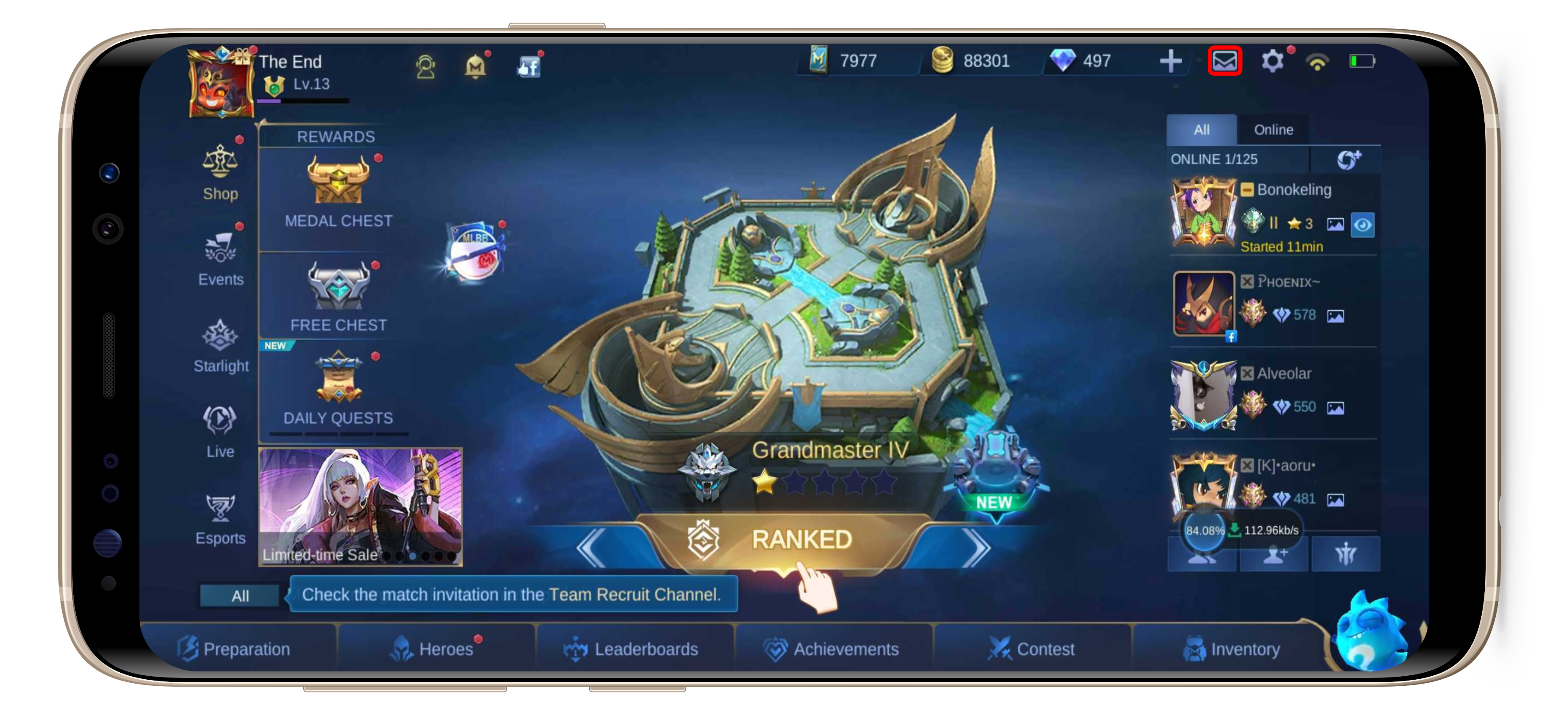
How To Redeem Mobile Legends Item Codes? Administrator 09 November 2022 10:53 Updated Please follow the below steps to redeem the code: Visit this page; Enter the voucher code; Enter your Game ID (you don't have to enter the Server ID); Click the "Send" button to get the verification code; Open your Mobile Legends game account and check the Inbox; Open the "Gift Redeemed" mail and copy the code into the Verification Code column on the redemption page. Click the "Redeem" button to continue; Claim the bonus from your Mobile Legends Inbox account. (the Inbox button is located on the upper right of the screen) Related articles I Have Made A Transaction, But How Do I Find The Voucher Code? I Purchased Mobile Legends Diamonds But They Have Not Yet Been Added to My Account How to Make A Payment Using PayPal Beware Of Fraudster Who Asks For Your Voucher Code!