|
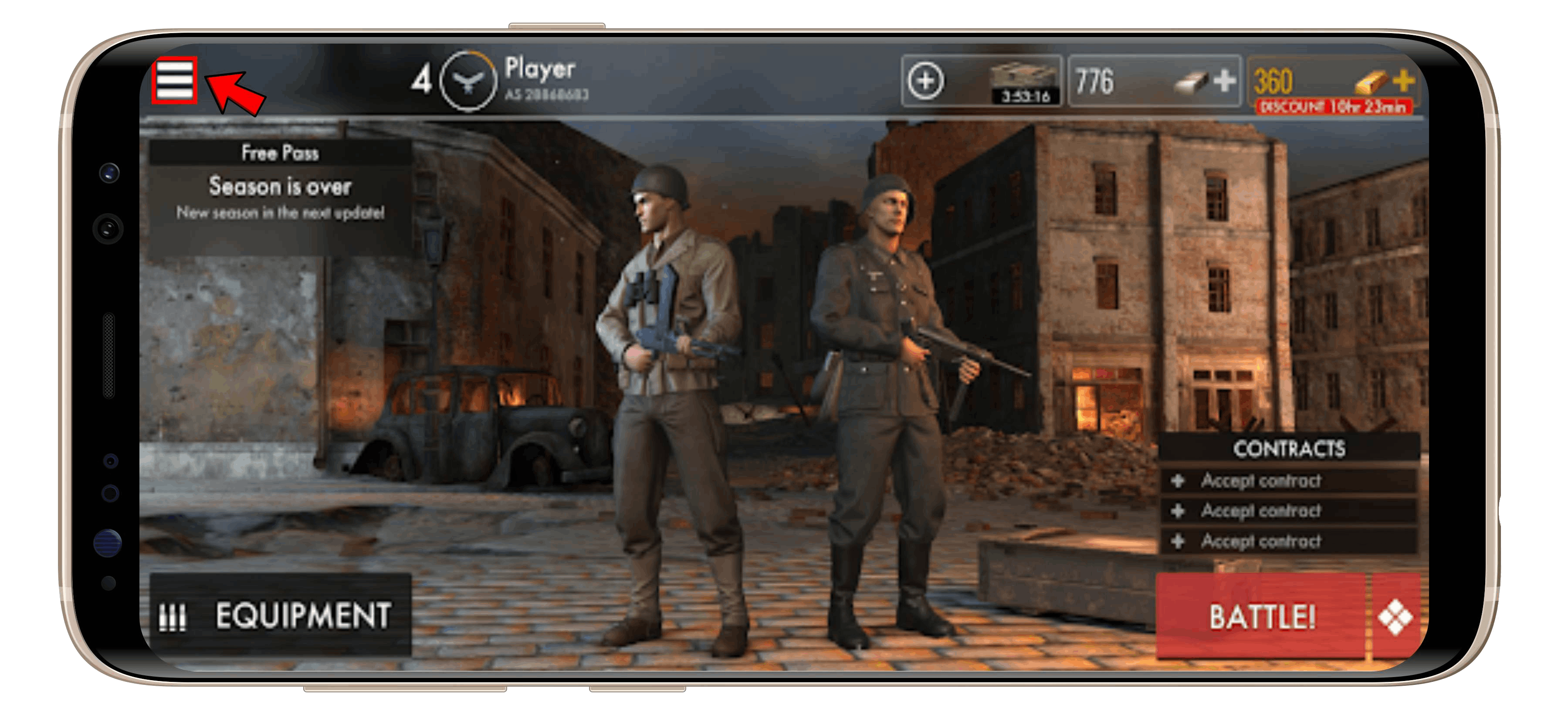
1. Open the World War Heroes game on your phone and click the Menu button located at the upper left of the screen; |
|
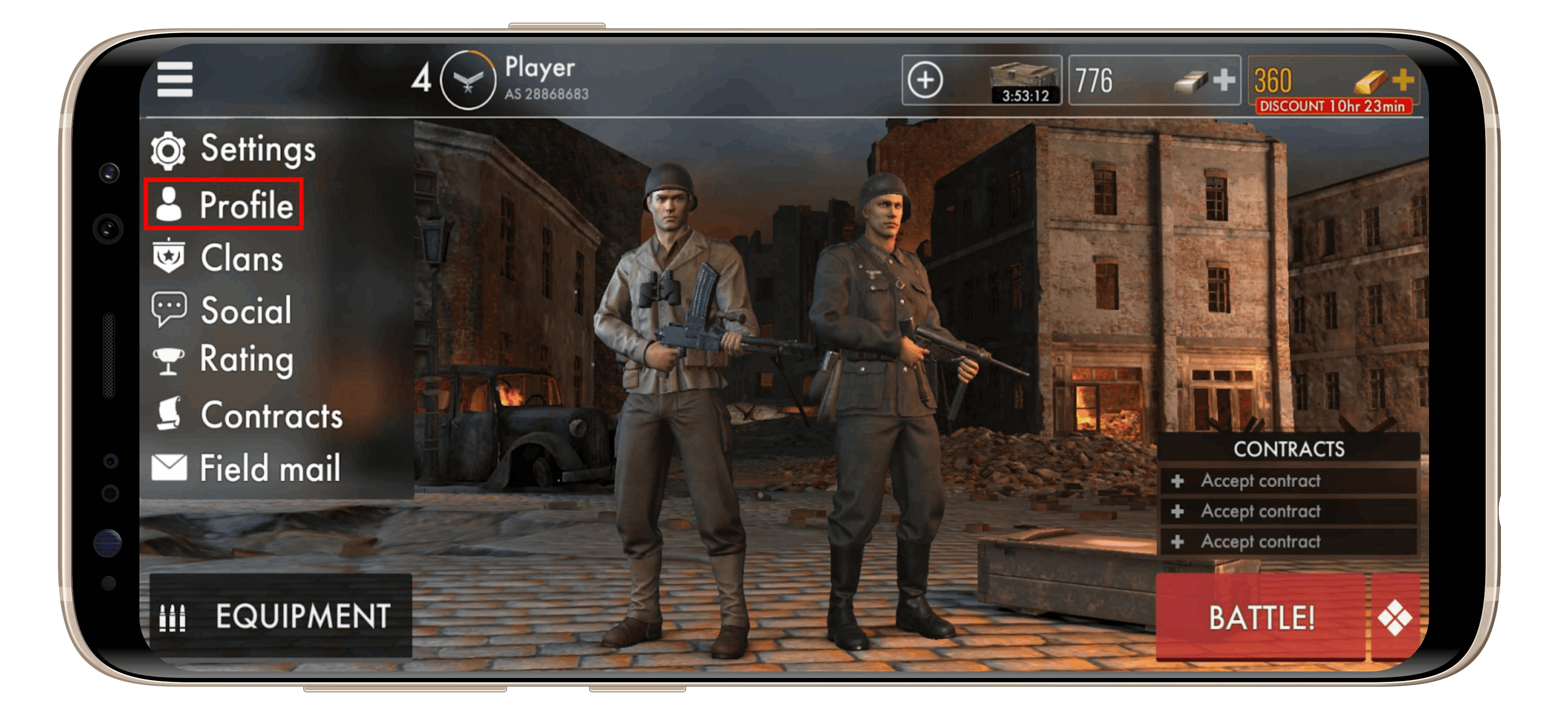
2. Choose the "Profile" menu; |
|
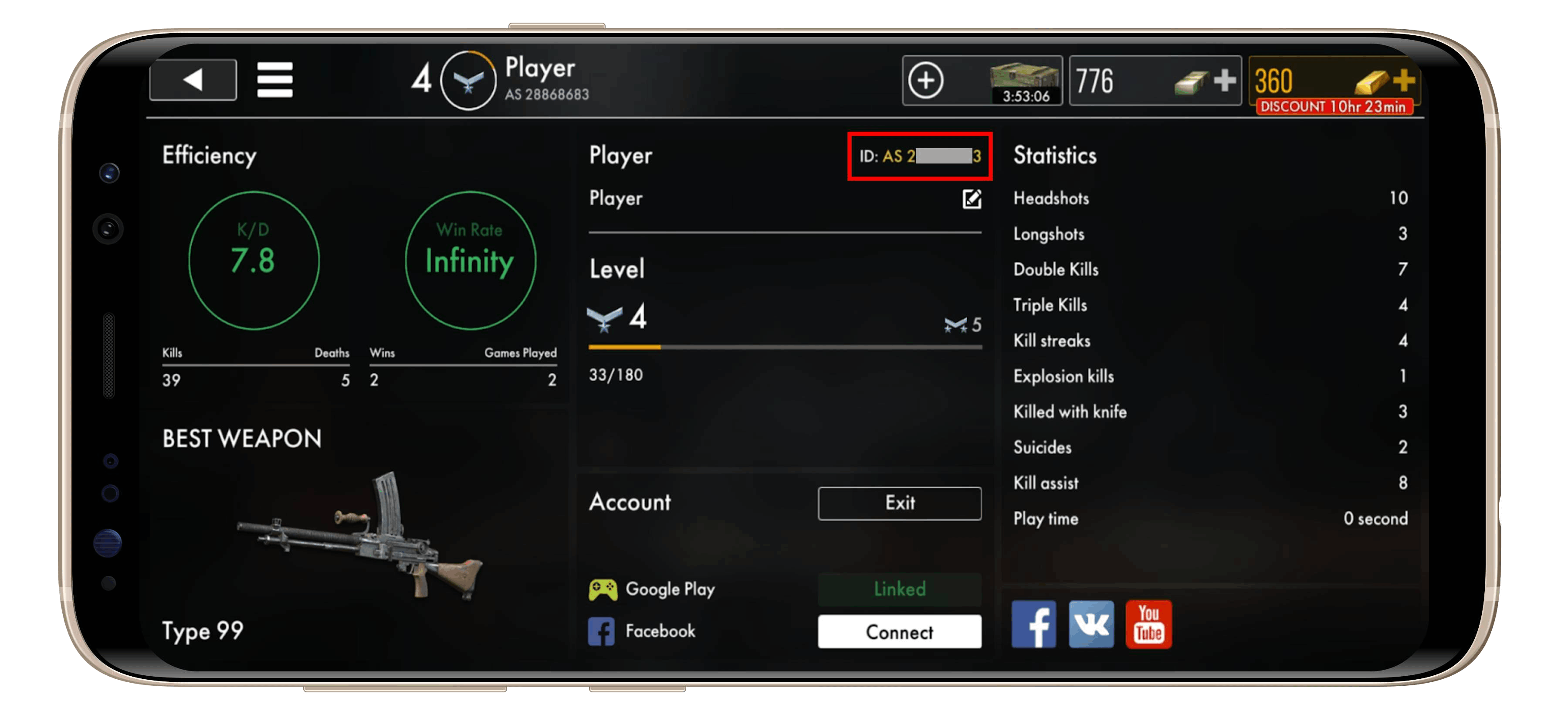
3. Your User ID will be seen in the player info section as shown above. |
Where Can I Find My World War Heroes ID?